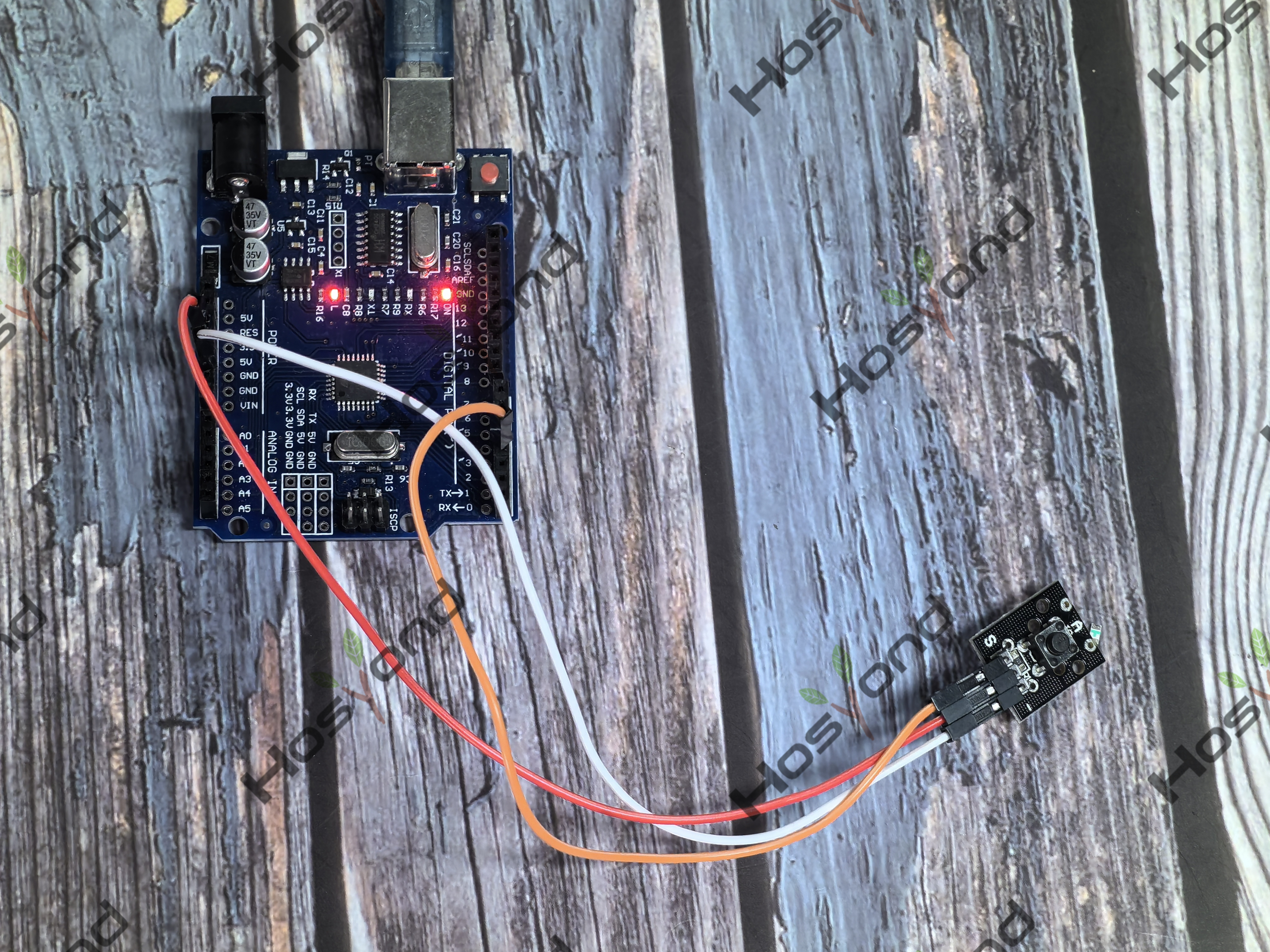
Project18.Button
Description
This is a basic button module. You can simply plug it into an IO shield to have your first try of Arduino.
Specification
Supply Voltage: 3.3V to 5V
Interface: Digital
Dimensions: 30*20mm
Weight: 4g
Connect
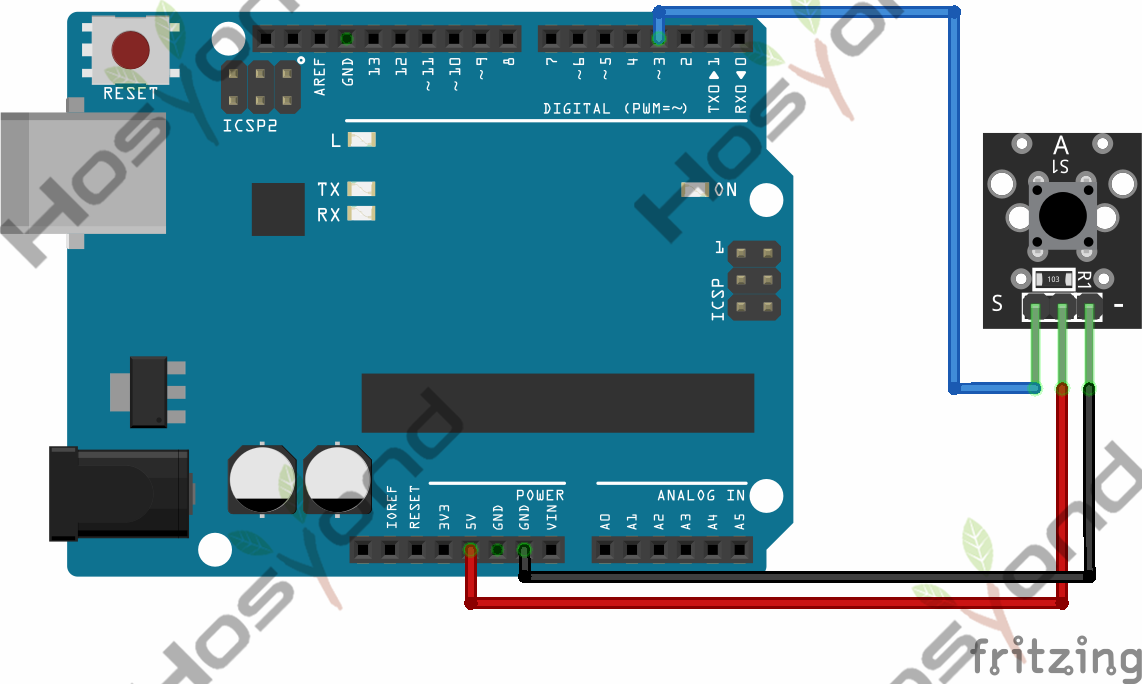
Code
int led = 13; //Define the LED pin
int buttonpin = 3; //Define the push button pin
int val; //Define a numeric variable
int ledState = LOW; //LED status variable, the initial value is off

void setup() {
pinMode(led,OUTPUT);
pinMode(buttonpin,INPUT);
digitalWrite(led, ledState); //Set the initial LED state according to ledState
}

void loop() {
val = digitalRead(buttonpin); // Read button status
if(val==LOW) // If the button is pressed
{
    ledState = HIGH; // Set ledState to HIGH(on)
}
else
{
    ledState = LOW; // Set ledState to LOW
}
digitalWrite(led, ledState);
}
Phenomenon